
On This Page
Overview
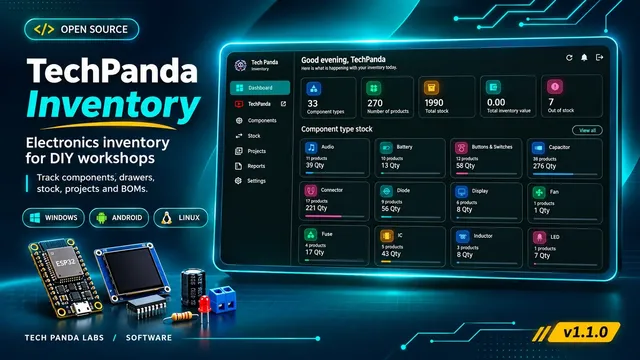
TechPanda Inventory is an open-source electronics component inventory application for keeping track of parts, quantities, locations, and the components used in DIY projects. It is intended for electronics workbenches where boards, modules, sensors, connectors, and passive components are stored across multiple drawers or boxes.
The application brings a searchable component catalog, stock movement records, project component lists, and workshop storage locations into one interface. You can run the published Windows or Android app locally, or choose a Linux-hosted installation when several devices need to use one shared inventory.
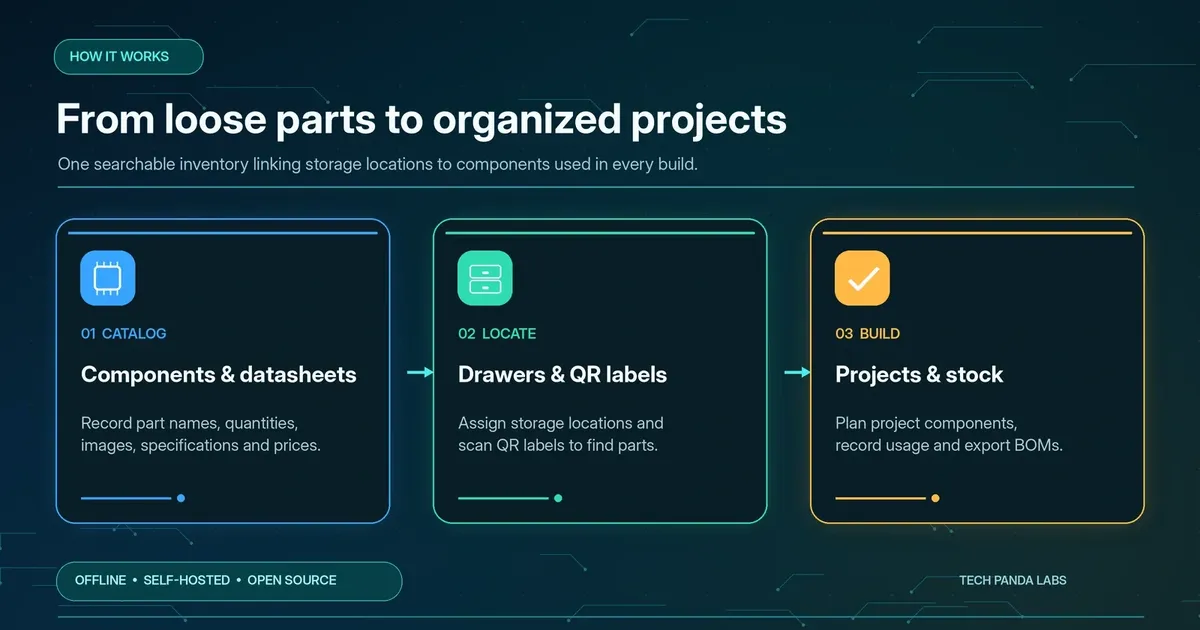
Core features and everyday workflows
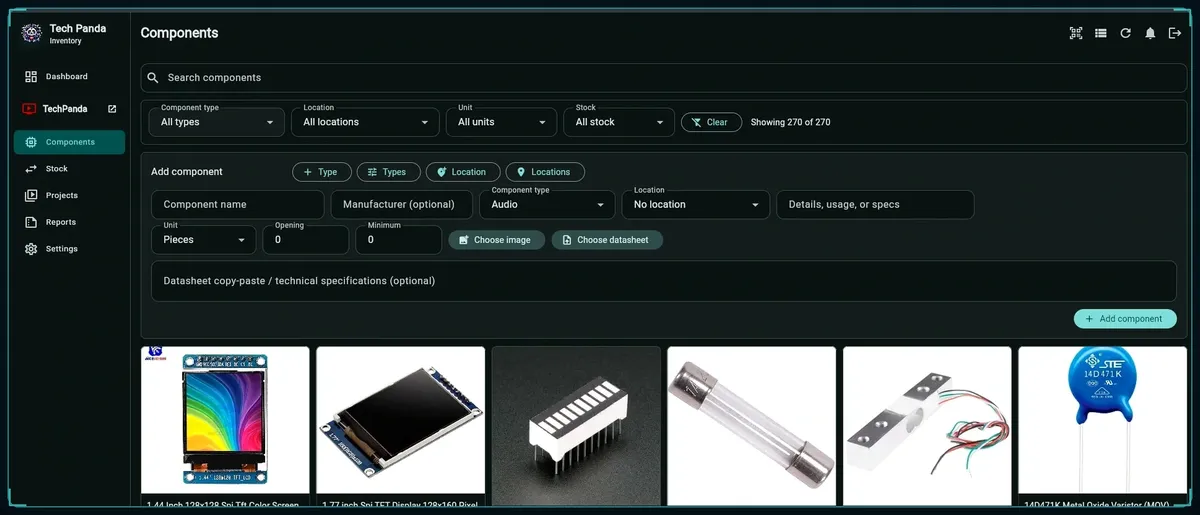
Catalog components and their specifications
Create your own component types and add item records with a part name, manufacturer, unit of measurement, opening quantity, storage location, notes, and a component image. For example, a development board can be classified as a microcontroller, assigned to its drawer, and searched by name later.
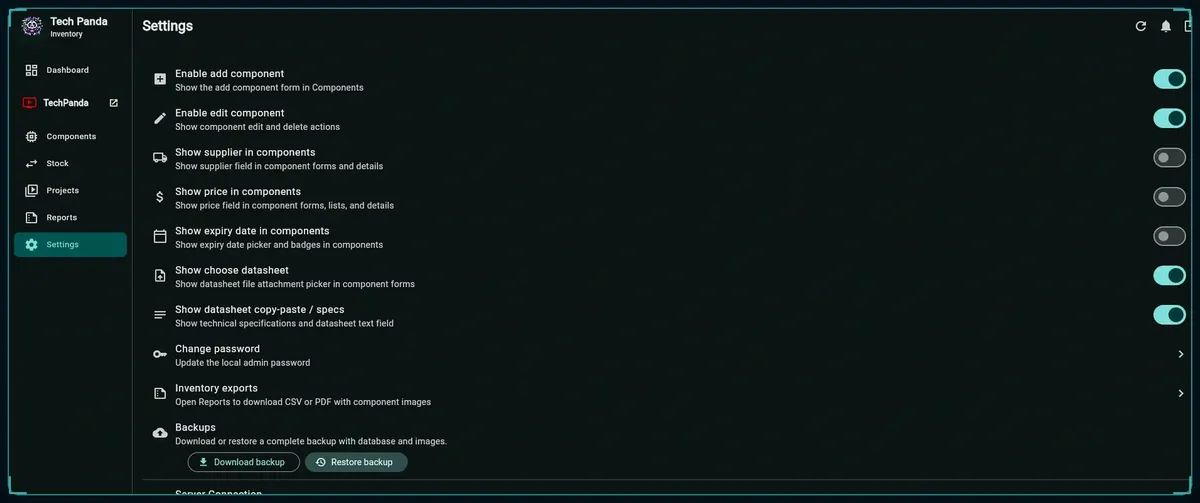
The expanded component editor also supports optional supplier, price, expiry date, datasheet attachment, and pasted technical specifications fields. These can be hidden in Settings when they are not useful for a particular workshop.
Record incoming and outgoing stock
Instead of replacing a quantity without a record, use stock-in, stock-out, returns, and loss adjustments. The stock history can be filtered by component, with pagination to make larger transaction lists easier to review.
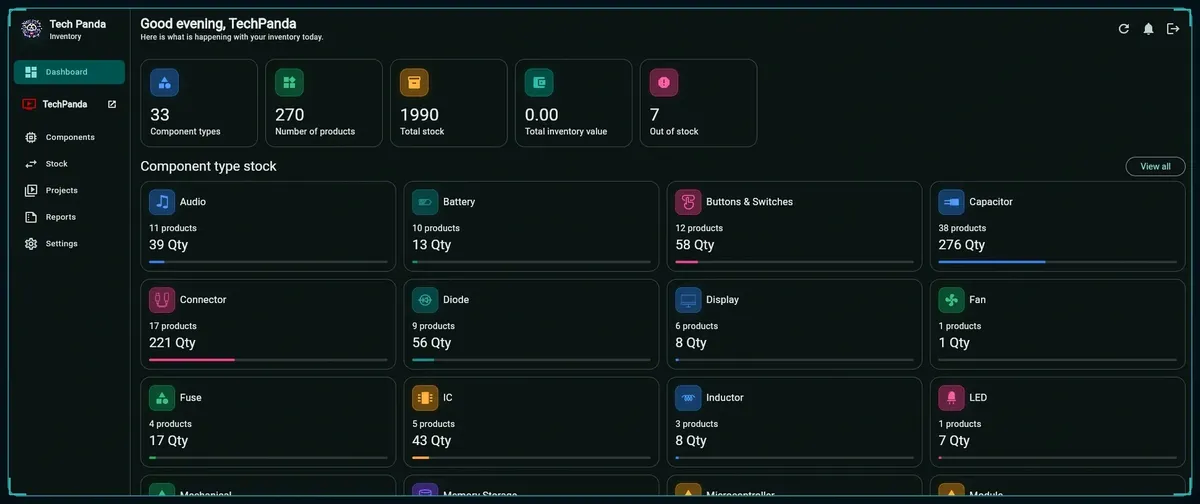
The dashboard summarizes component types, distinct products, total stock quantities, and out-of-stock parts. Minimum stock levels make it easier to identify items that may need reordering.
Link physical drawers to digital locations
Add locations corresponding to physical drawers, bins, shelves, or boxes. The rebuilt interface can generate a QR code for each location and print a sheet of storage labels. Scanning a label opens the inventory view for the corresponding location, provided the device can reach the relevant application.
Manage DIY projects and component requirements
Create project records, associate the components needed for a build, and record quantities consumed from inventory. The project workflow supports reducing available stock as parts are used, while PDF exports provide a component list to keep alongside a project.
Monitor value, expiry and replenishment
When prices have been entered, the app can calculate estimated inventory value. Optional expiry-date tracking and out-of-stock indicators identify records that need attention. The rebuilt project demonstration also presents reorder and purchase-order workflows.
Export records and protect your data
The application includes CSV/PDF reporting and backup/restore controls. The repository documents a local SQLite database, a media folder for uploaded images or documents, and backup archives containing database and media. Keep backups in a location separate from the device running the application.
Who this software is for
Typical uses include locating spare ESP32 boards, keeping track of resistors and sensors stored in multiple drawers, recording parts taken for a prototype, and exporting a project component list. A single-device workshop may prefer the offline app; a shared bench with multiple PCs or phones may prefer a self-hosted server.
Platforms and requirements
| Feature | Local Windows or Android app | Self-hosted Linux server |
|---|---|---|
| Primary purpose | Inventory on the device | One shared database for multiple devices |
| Installation | Published Windows or Android release asset | Deploy the API and Flutter web interface to a Linux host |
| Connectivity | Works without an always-on network connection | Clients must reach the host on the LAN or through configured remote access |
| Administration | Manage device storage and backups | Maintain Linux, containers, credentials, database and backups |
| Browser use | Not required for typical local app use | Flutter Web interface served by the host |
The repository documents Flutter for Android, Web/PWA and Windows; a FastAPI backend; SQLAlchemy/Alembic; SQLite by default; and optional PostgreSQL configuration for server use. The self-hosted deployment instructions target Ubuntu or Debian and use Docker Compose. Python 3.12 or newer and Paramiko are specified for the Windows remote-deployment helper.
How the application works
In local use, component data and associated media are held by the local installation. In self-hosted use, Windows, Android, and web clients send inventory requests to a FastAPI service running on a Linux machine. That service manages the inventory database and uploaded media, so connected clients can access the same records.
The standard deployment uses SQLite and documents PostgreSQL as an optional database for concurrent production use. Remote access through Cloudflare Tunnel is optional; the app can also be accessed over a local network. The operator remains responsible for access controls, credentials, updates and backups.
Download TechPanda Inventory
Open the GitHub Releases page and choose the Windows or Android download that matches your device. The current release shown on GitHub is v1.1.0. Linux hosting uses the repository source and deployment tools rather than the Android APK or Windows release package.
Open the official Releases page
Choose the latest suitable published release in the TechPanda Inventory GitHub repository.
Install the appropriate build
Use the Windows release package for a Windows PC or install the Android APK on an Android device according to your device settings.
Open the app and secure the administrator account
Complete any initial sign-in or setup and change default credentials before storing real data or enabling network access.
Start with locations and components
Create component types and drawer locations, then add your first part records and quantities.
Download published Windows and Android builds
Deploy on your own Linux server
A self-hosted installation is intended for people who want one shared inventory on a server they control. The repository includes a direct Linux deploy.sh script and a Windows remote-deployment helper. Confirm the repository deployment notes before running installer scripts on a production host.
Option A: deploy remotely from Windows
Prepare the Linux host
Use a reachable Ubuntu/Debian machine with SSH access, sufficient persistent storage and administrative permissions.
Prepare the Windows machine
Install Git and Python 3.12 or newer. Clone the official repository and install Paramiko for the deployment helper.
Run the interactive helper
Launch deploy_to_linux.bat or run deploy_remote.py from the repository root.
Enter deployment settings
Supply the host address, SSH account details, initial application administrator password, and optionally a Cloudflare Tunnel token. Do not include secrets in saved commands.
Confirm the deployment
Open the address and port reported by the installer, sign in, and verify that the inventory loads before linking another device.
git clone https://github.com/arslansadiq87/techpanda-inventory.git cd techpanda-inventory py -3.12 -m pip install paramiko py -3.12 deploy_remote.pygit clone https://github.com/arslansadiq87/techpanda-inventory.git cd techpanda-inventory py -3.12 -m pip install paramiko py -3.12 deploy_remote.py
Option B: deploy directly on Linux
The repository also describes cloning the project directly on Ubuntu or Debian, making deploy.sh executable, and running the script. Review what the script installs and the environment file it creates before proceeding.
git clone https://github.com/arslansadiq87/techpanda-inventory.git cd techpanda-inventory chmod +x deploy.sh ./deploy.shgit clone https://github.com/arslansadiq87/techpanda-inventory.git cd techpanda-inventory chmod +x deploy.sh ./deploy.sh
Read the official repository setup documentation
First-run setup and workshop routine
Create an inventory structure
Define types such as microcontrollers, capacitors, ICs, or sensors and map physical shelves or drawers to named locations.
Add the stock you already own
Record part names, quantities, storage location, optional images and datasheets. Use the current count as the opening quantity.
Record each inventory change
Use stock movements for purchases, withdrawals, returns or losses so that quantities and transaction history remain consistent.
Prepare a build
Add the required parts to a project, track parts actually consumed, and export its component list when a printable record is needed.
Review alerts and back up
Check low or zero quantities, optional expiry dates, and regularly export a backup including both inventory records and media.
Backup, privacy and security
The repository documents local storage at local_data/inventory.sqlite3 with associated media and backup folders in local-only development. It also describes backup archives that include the database and media files. Verify a restore process before relying on one backup copy; exporting a report does not replace a full data backup.
An offline installation avoids the need to send ordinary inventory requests to a remote server. Self-hosting lets you choose the server and network path, but does not by itself guarantee confidentiality or security. Use unique administrator credentials, keep server secrets outside Git, install software updates, restrict who can access the app and use HTTPS for remote clients.
Cloudflare Tunnel can provide an HTTPS route to the server without directly exposing its application port, but its use introduces an external network service and requires appropriate access policy. ESP32 voice functionality is a separate integration that also depends on the configured speech-processing components.
Read the repository security policy
ESP32 voice inventory integration (optional)
The second Tech Panda video demonstrates a voice-controlled inventory lookup using an ESP32-S3 and Seeed Studio ReSpeaker XVF3800 microphone array. A custom wake word, “Hi Tech Panda,” activates a workflow that can ask about stock quantity or a storage location and return a spoken response.
This is not a built-in voice feature of the standard Windows or Android installer. The demo combines the ReSpeaker audio front end, ESP32-S3 wake-word handling, speech recognition, access to the inventory server, and text-to-speech. The repository contains separate ESP32 voice-assistant and wake-word folders for further reference.
Troubleshooting and limitations
The app cannot connect to my Linux server
Confirm the server address and port, verify that the deployment completed, and open the web interface from a browser on the same network. Then use the Server Connection test in the app. For remote access, confirm that the tunnel and access settings match the deployed service.
I cannot find a part in a scanned drawer
Confirm that the part has the intended storage location assigned and that the QR label belongs to that same location. The scanning device must be able to open the relevant local or hosted inventory view.
My offline devices show different quantities
Separate offline installations do not automatically share one database. Configure the shared Linux server when you need the same inventory across several devices, and review the migration or sync workflow before switching an existing installation.
A feature from the video is missing
Compare the installed release against the latest repository documentation and settings. Optional supplier, pricing, expiry and datasheet fields can be hidden; some features shown in a later demonstration may differ from a published binary release.
Known operational constraints
Self-hosting requires maintenance of the Linux machine, network access, storage and backups. Optional features such as pricing depend on users entering the necessary data. The ESP32 voice demonstration needs additional hardware and supporting services. No independent performance, accessibility or security audit is claimed here.
Video demonstrations
Rebuilt inventory app: self-hosting, QR labels and voice search
This video covers the expanded component fields, stock and expiry alerts, QR-coded drawers, Windows/Android releases, the automated Linux deployment process, and the separate ESP32-S3/ReSpeaker voice-search demonstration.
Original electronics component inventory walkthrough
The first video follows the initial workflow: creating types and locations, adding components, stock movement history, organizing project parts, reporting, and installing the offline application.
Source code, downloads and license
TechPanda Inventory is maintained as a public GitHub project and distributed under the MIT license stated in its LICENSE file. Review third-party notices and the repository instructions when building or redistributing the software. For bugs and enhancement proposals, use the public issue tracker; use the security policy rather than public issues to report vulnerabilities.
Documentation and deployment guide
Report a bug or request a feature
Frequently asked questions
Does it require a cloud account?
A local Windows or Android installation can be used offline without a hosted inventory service. A Linux deployment is optional when you need shared, network-accessible records.
Can I print a bill of materials for a project?
The original walkthrough demonstrates exporting a project component list as a PDF.
Can several phones and computers access the same stock?
Yes, when the clients connect to a common self-hosted Linux inventory server. Separate standalone offline installations are not automatically synchronized.
Do I need an ESP32 or microphone to use the app?
No. ESP32-S3 and ReSpeaker XVF3800 hardware are used for the optional voice assistant demonstration, not for standard component inventory management.